
Microsoft has removed the option to create a C++/CLI Windows Forms application by default, the template files are still installed. The only thing missing seems to be the .vsz files and a registration in the vcNET.vcdir file.
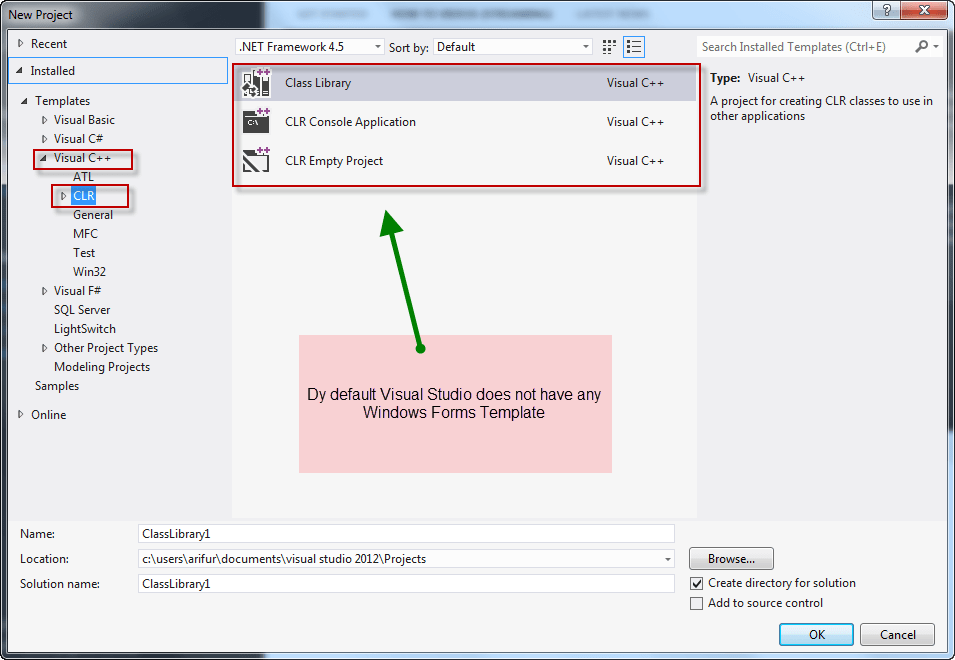
Just follow these steps to have Windows Forms Application in Visual Studio C++ 2012
Step One
Download the following files.
[wpfilebase tag=file id=1 tpl=download-button /]
Now extract the compressed file.
Step Two
Now fire up windows explorer and go to "C:Program Files (x86)Microsoft Visual Studio 11.0VCvcprojectsvcNET"
or‚ "[Visual Studio Installation Directory] VCvcprojectsvcNET"
Step Three
Create a new directory and now backup all the files.

Step Four
Now copy all the extracted files from "Step One" and paste inside this folder "C:Program Files (x86)Microsoft Visual Studio 11.0VCvcprojectsvcNET" or‚ "[Visual Studio Installation Directory] VCvcprojectsvcNET"


Step Five
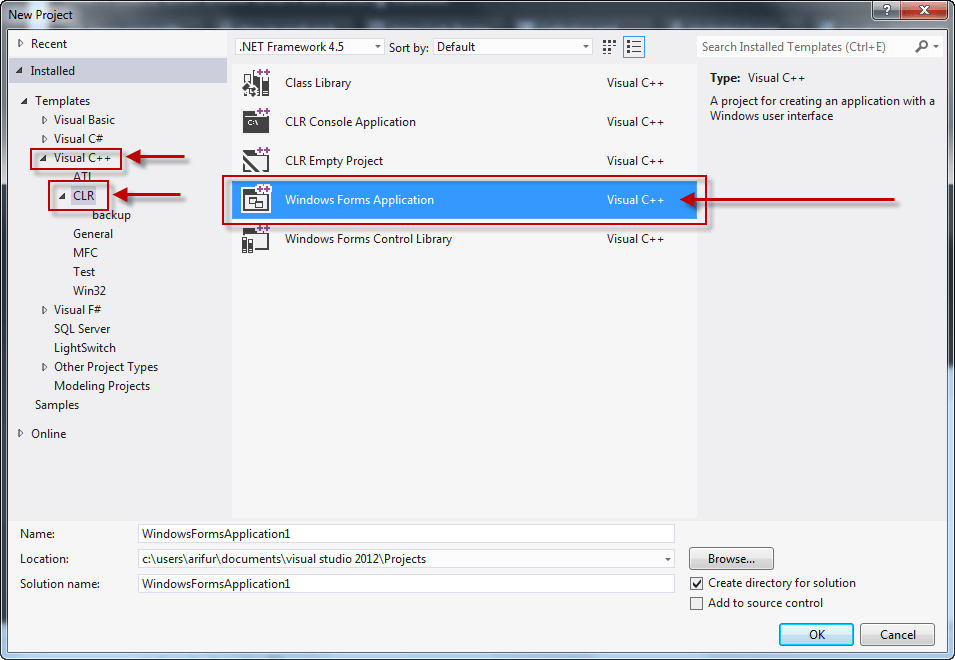
Run Visual Studio and select New Project > Visual C++ > CLR
Now you should be able to see Windows Forms Application
Step Six (optional)
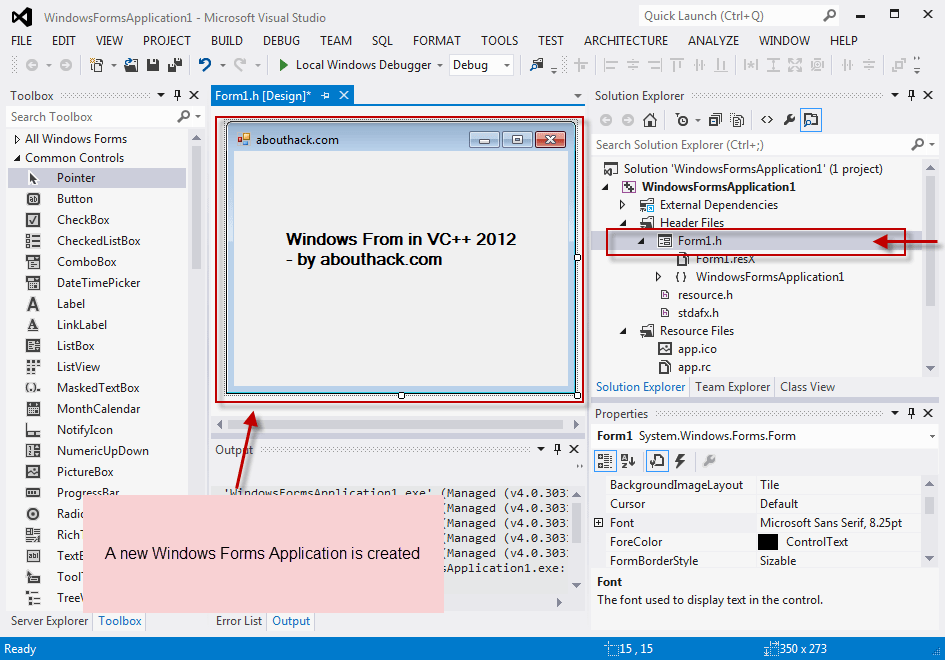
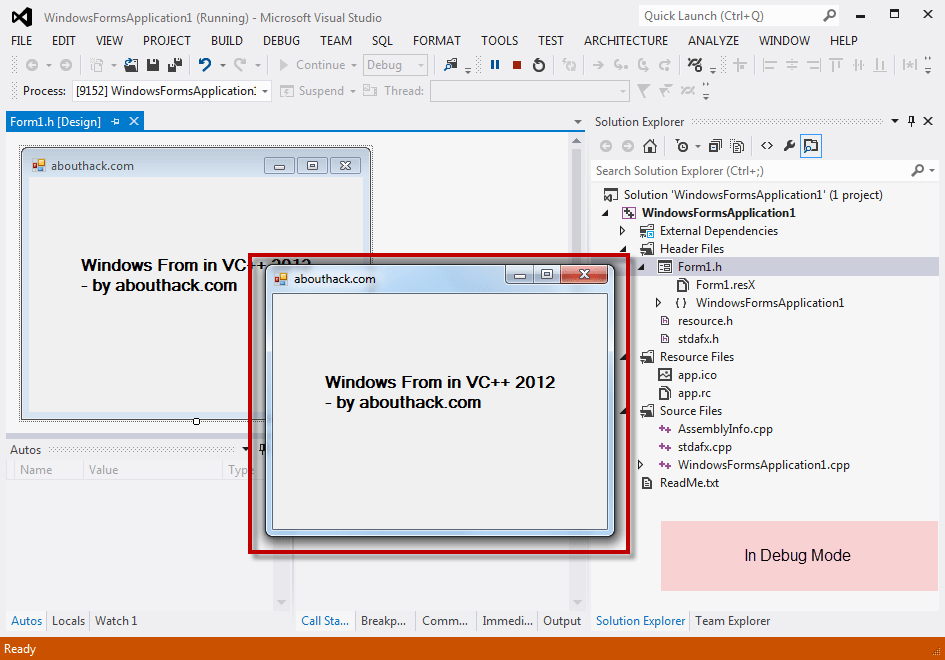
Create a new Windows Forms in Visual C++ and see if everything is working or not.
Hello there! Do you use Twitter? I’d like to follow you if that would be okay. I’m
definitely enjoying your blog and look forward to new updates.
My facebook and twitter social links are posted on top. Thank you for your comment.
Great, thanks. For all you VS express users:
use this directory: C:Program Files (x86)Microsoft Visual Studio 11.0VCvcprojects_WDExpressvcNET
and you also need to copy the WinForm directory from another version to C:Program Files (x86)Microsoft Visual Studio 11.0VCVCWizardsAppWiz.NET
Thank You Bro, this realy helped me!)
thanx for this nice help.
Thank you for this. Microsoft’s treatment of C++ coders in the last two releases has been baffling. No Intellisense in the last release, no new forms in 2012.
You are most welcome.
I agree, its like they are trying to have a poor business strategy. My solution to the problem is visual studio 6 and 2010. I think 2010 was the beginning of their collapse.
Great web site you have here.. It’s difficult to find good quality writing like yours these days. I seriously appreciate people like you! Take care!!
Danke für die Hilfe
when i copy these files, they get locked. Unlock IT software can’t see these files.
any help?
I’ve got some problem here… when i tryed to create the project i saw the new options,but i just could not select them.Any ideias of how to solve it?
@Daniel
This behaivor looks like, you tryed this workaround in VS Express.
In the Express version are no winform templates. You have to copy them from an older VS Express version (2010 or 2008) into the 2012 directory.
See the comment by B:
and you also need to copy the WinForm directory from another version to C:Program Files (x86)Microsoft Visual Studio 11.0VCVCWizardsAppWiz.NET
Hello,
thanks for this great instruction. I have one additional question. Do you have an really easy way to create a windows form app that runs on another computer, or an easy way to create an installer for that?
Thanks
Thank you so much
excellent , Great work.
Hi, the zip file you uploaded contains only six files, but in your screenshots, it shows 11 files. Is it okay? thanks!
Thank you very much! It’s all works.
Thanks. Saved a lot of time. Works great
THANKS!!!
Very good friend! Thank you.
will this work for visual basic in visual studio 2012
Wow, wow, woW 😀
You saved my life man.
All the Best!
Perfect! Thanks you very much!
Thanks! Creating a blank CLR project and adding the winform afterwards with all the linking and what not is a bit of a pain in the ass.
muito obrigado pelo seu tutorial
Hello I am having a problem. Everything worked up until I go and make the Windows Forms project. I enter my project name and click create, then the window disappears like it should but instead of creating the project it sends me back to project creation a second later.
Whats up! I simply wish to give an enormous thumbs up for the great info you
Thanks!! You saved my life
Really usefull ! Finally thanks bro !!!
Hi
About “and you also need to copy the WinForm directory from another version to C:Program Files (x86)Microsoft Visual Studio 11.0VCVCWizardsAppWiz.NET”
I simply don’t have another version of MVS.
Can somebody send me this WinForm directory?
Thanks. You saved my genitals, because I was planning to sever them and feed them to the crows perched and waiting in the mulberry tree visible from my office window.
Link is broken. please fix it 🙁
Thank you for reporting it. The link has been fixed.